




 Sign in


 Profile
 Signout
Kerala Plus Two (12th) Result 2026 Declared: 77.97% Pass, Check Direct Link Here


The Directorate of Higher Secondary Education (DHSE), Kerala, announced the Plus Two (12th) results today (May 26) at 3:00 PM. Students who appeared for the examinations can check their results on official websites such as results.kerala.gov.in and results.kite.kerala.gov.in.
👉 Direct Link: Kerala Plus Two (Class 12) Results 2026
These examinations were conducted in 'pen-and-paper' mode between March 6 and March 28, 2026. It is estimated that over 4.5 lakh students appeared for this examination.
How to Check the Kerala Plus Two Result 2026 Online
Follow these steps to download the Kerala DHSE +2 marksheet:
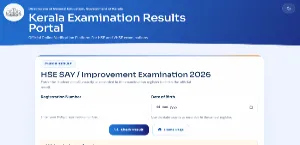
Step 1: Visit the Kerala Results website at keralaresults.nic.in.
Step 2: Click on the link titled "Kerala DHSE Results 2026."
Step 3: Enter your Roll Number and Date of Birth.
Step 4: Click on the "Submit" button.
Step 5: Your Kerala Plus Two Result 2026 will appear on the screen.
Step 6: Download and print the marksheet for future reference.

Details Mentioned in the Kerala DHSE Plus Two Scorecard 2026
The online scorecard will include the following details:
- Registration Number
- Student's Name
- Gender
- Category
- Date of Birth
- Subject Names
- Grades/Marks obtained in each subject
- Total Marks
- Eligibility Status
-----



 Home
Home
 Quiz
Quiz
 Short News
 Web Story
 Get latest Exam Updates







