




 Sign in


 Profile
 Signout
CAT 2026 Admit Card on November 4: Check Download Date, Exam Schedule and Slot Timings
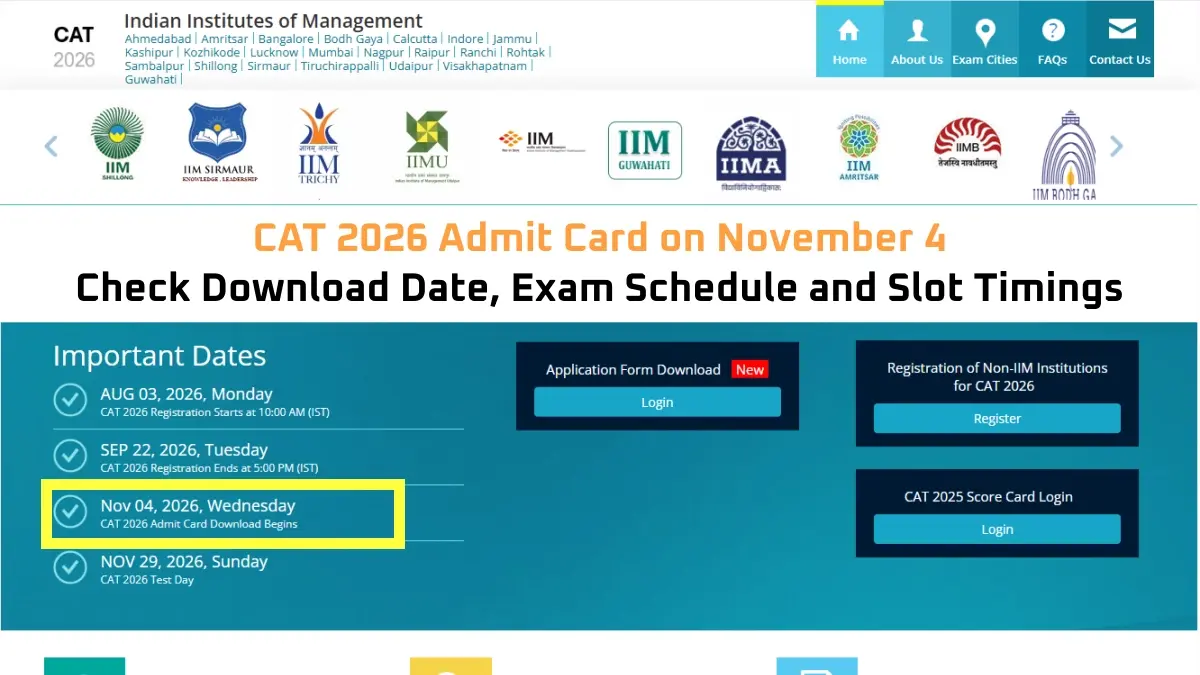

The CAT Admit Card 2026 is scheduled to be released on November 4, 2026 by the Indian Institute of Management (IIM) Indore. The admit card will be released by Indian Institute of Management (IIM) Indore. CAT 2026 applicants can download their admit card from the official website iimcat.ac.in by using their login credentials.
CAT 2026 will be held on November 29, 2026, in computer based mode. CAT 2026 will be held in over 170 cities and more than 350 to 400 test centers in India.
Candidates are required to bring the printout of CAT 2026 admit card to the examination center. The admit card holds important details like examination date, time slot, reporting time, and test center.
CAT Admit Card 2026: Overview
| Particulars | Details |
| Examination | Common Admission Test (CAT) 2026 |
| Conducting Institute | IIM Indore |
| Admit Card Release Date | November 4, 2026 |
| CAT 2026 Exam Date | November 29, 2026 |
| Exam Mode | Computer-Based Test |
| Admit Card Mode | Online |
| Login Credentials | Registered User ID and Password |
| Official Website | iimcat.ac.in |
How to Download CAT Admit Card 2026?
Candidates can download their CAT 2026 hall tickets from the official examination portal after the download link is activated. They can follow these steps:
Step 1: Visit the official CAT website at iimcat.ac.in.
Step 2: Open the registered candidate login section.
Step 3: Enter your registered user ID and password.
Step 4: Log in to the candidate dashboard and click on the CAT 2026 admit card link.
Step 5: Download the admit card and save the PDF.
Step 6: Check all the details printed on the admit card and take a printout for the examination day.
CAT 2026 Slot Timings
CAT 2026 at IIM Indore will be held in three slots on November 29, 2026. Candidates need to find out from their respective admit cards about the particular slot in which they have been assigned to take the test.
| Exam Slot | Timings |
| Slot 1 | 8:30 AM to 10:30 AM |
| Slot 2 | 12:30 PM to 2:30 PM |
| Slot 3 | 4:30 PM to 6:30 PM |
It will also contain information related to the examination center where the test will be conducted along with reporting time.
Details to Check on CAT Admit Card 2026
The admit card of CAT 2026 once downloaded must be thoroughly verified by the candidates in terms of information available on it. This includes:
- Name and personal particulars of the candidate
- CAT registration number
- Date and slot of the examination
- Name and location of the examination center
- Time of reporting to the exam center
- Photograph and other identifying particulars, wherever necessary
- Guidelines for the day of examination
Any discrepancy noticed on the admit card must be informed to the CAT help desk.
What Should Candidates Do After Downloading CAT 2026 Hall Ticket?
It is recommended that after getting admit card download, one should look into the center, slot, and timing of the examination. Along with that, one should follow all the directions provided on the examination day.
One must have a printed admit card handy for the examination day and must visit the official CAT website to get updates from time to time.
----------
👉 Also Check - CAT Free Study Material
CAT and OMETs study material 2026. Download sample papers, mock tests, previous year papers, chapter-wise PYQs and mind maps for complete exam preparation.



 Home
Home
 Quiz
Quiz
 Short News
 Web Story
 Get latest Exam Updates







