




 Sign in


 Profile
 Signout
ICAI CA Final May 2026 Result: Likely June 18 — Full Details Here
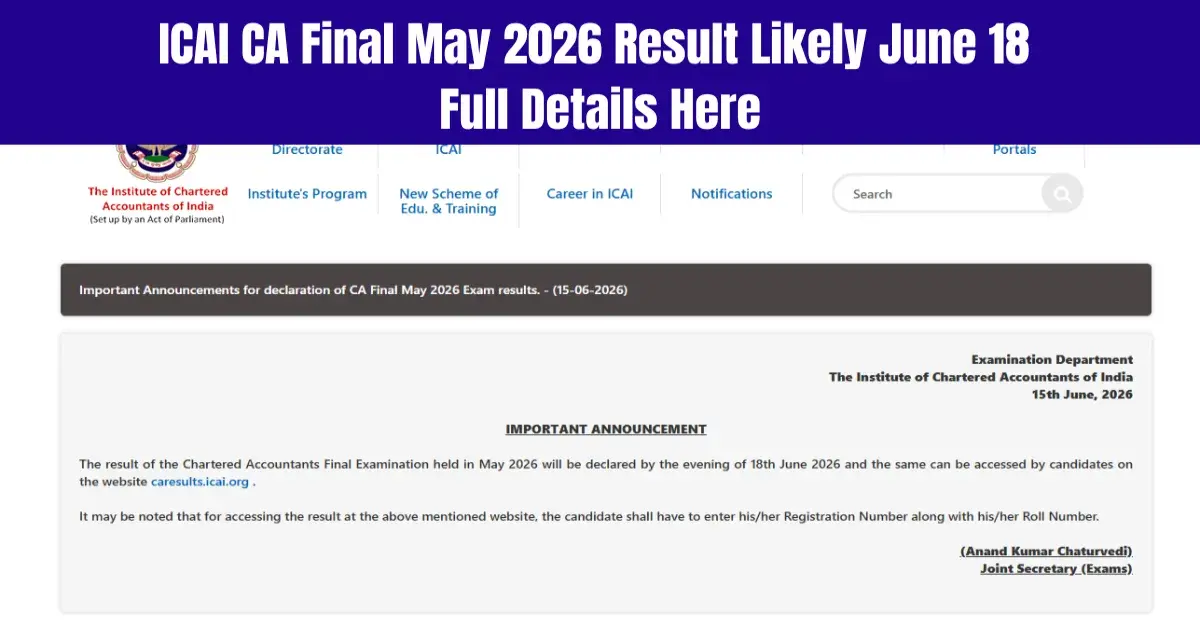


The Institute of Chartered Accountants of India (ICAI) is expected to declare the CA Final May 2026 result soon. According to former Central Council Member (CCM) Dhiraj Khandelwal, the result may come out on June 18. Candidates who sat for the exam can check their ICAI CA Final May 2026 result on the official website, icai.nic.in.
To check and download the result, students will need their valid registration number and roll number. The ICAI CA Final exams for the May 2026 session were held from May 2 to May 12, 2026.
On X, the result has been reported by Dhiraj Khandelwal to be announced on 18th June. Further, he has commended ICAI for bringing down the time taken for announcing results from an approximate period of 60 days to 35 days. This was possible due to the efforts of ICAI President Prasanna Kumar.
Good news , CA final result may be declared on 18th June pls wait for ICAI notification .
— DHIRAJ KHANDELWAL (@kdhiraj123) June 14, 2026
However, students need to keep in mind that ICAI has not yet confirmed the announcement date for the CA Final May 2026 examination.
Scorecard on the online portal would give candidates marks scored subject-wise along with total marks and pass or fail status.
ICAI CA Final May 2026 Result: Procedure to Download
Procedure to check/download ICAI CA Final result 2026 May session:
Step 1: Visit the official website at either icai.nic.in or icai.org.
Step 2: Click on the link "CA Final Result May 2026."
Step 3: Enter your valid roll number and registration number.
Step 4: Enter the CAPTCHA code that you get on the screen.
Step 5: Click on the button "Check Result."
Save the PDF and take a printout for future use.

Candidates who clear the ICAI CA Final May 2026 exam can apply for ICAI membership. Those who don't pass can begin preparing for the next exam cycle.



 Home
Home
 Quiz
Quiz
 Short News
 Web Story
 Get latest Exam Updates







