




 Sign in


 Profile
 Signout
NEET UG 2026 Re-Exam OMR Answer Sheet and Recorded Response Out: Direct Link, Objection by July 15
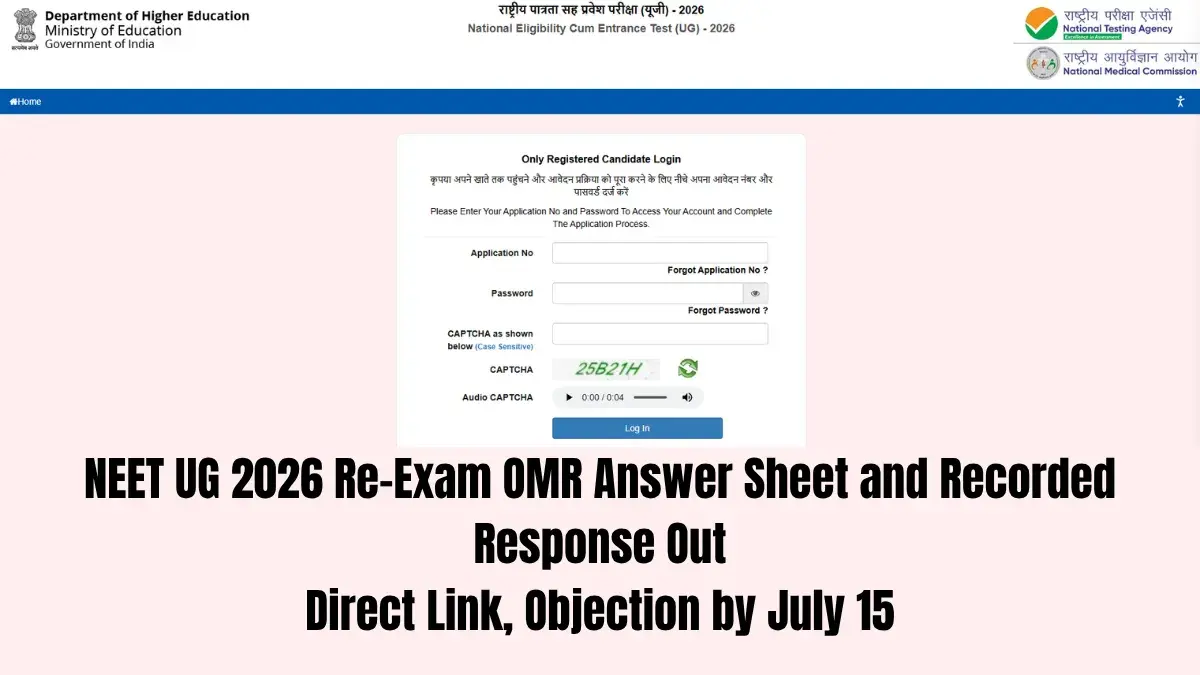

The National Testing Agency (NTA) has released the scanned OMR answer sheets and recorded responses for the NEET UG 2026 re-exam. Candidates can now check their responses at the official website, neet.nta.nic.in. The objection window is already open and closes at 11 AM on July 15, 2026.
To open the documents, candidates need to log in with their application number and password. The NTA has also added a two-factor OTP verification step. This extra check makes sure that no one except the candidate can view their OMR sheet and recorded responses.
👉 Direct Link - NEET UG 2026 Re-Exam OMR Answer Sheet and Recorded Response
NEET UG 2026 Re-Exam OMR Sheet: Key Details
| Detail | Information |
|---|---|
| Exam | NEET UG 2026 Re-Exam |
| Conducting body | National Testing Agency (NTA) |
| Official website | neet.nta.nic.in |
| Objection window opens | July 13, 2026 |
| Objection window closes | 11 AM, July 15, 2026 |
| Objection fee | Rs 200 per question (non-refundable) |
| Login credentials | Application number and password + OTP |

Objection Window for Recorded Responses
Candidates who spot a mistake in their recorded responses can raise an objection on the official portal. The window opened on July 13, 2026, and stays open until 11 AM on July 15, 2026. The NTA has made it clear that no challenge will be accepted after this deadline.
Each objection carries a non-refundable fee of Rs 200 per question. Challenges filed without this fee won't be considered. So candidates must finish the online payment while submitting their objections.
The NTA has also confirmed that the objection window for the provisional answer key of the NEET UG 2026 re-exam is already closed. Candidates can now challenge only their recorded responses. No fresh objections against the answer key will be accepted.
How to Download the NEET Re-Exam Response Sheet at neet.nta.nic.in
- Visit the official website — neet.nta.nic.in.
- Click on the NEET re-exam response sheet link.
- Log in with your application number and password, then complete the OTP verification.
- Your OMR sheet and recorded response will open on the screen.
- Download the PDF and take a printout for your records.
How to Raise an Objection on the NEET Re-Exam Response Sheet
- Visit the official website — neet.nta.nic.in.
- Click on the NEET re-exam response sheet objection window link.
- Log in with your application number and password.
- Select the questions you want to challenge.
- Upload your answer along with supporting documents in PDF format.
- Pay the objection fee of Rs 200 per question and click submit.
- Save the confirmation page and take a printout.
What Happens Next
Once the NTA reviews every objection, it will publish the NEET re-exam final answer key on neet.nta.nic.in. The result and scorecard will follow on the same website. Candidates will need their registration number or roll number to download the scorecard.
The NTA has advised candidates not to wait until the last hour to file their objections. If you find any discrepancy, complete the challenge process well before the deadline, and upload the supporting documents and fee along with it.
Candidates should also depend only on the official NTA website for updates. Unofficial sources often spread rumours and wrong information during this period.
--------



 Home
Home
 Quiz
Quiz
 Short News
 Web Story
 Get latest Exam Updates







