


 Sign in


 Profile
 Signout

CAT 2026 Admit Card Tomorrow (4 Nov): Check Release Time, Download Link and Login Details
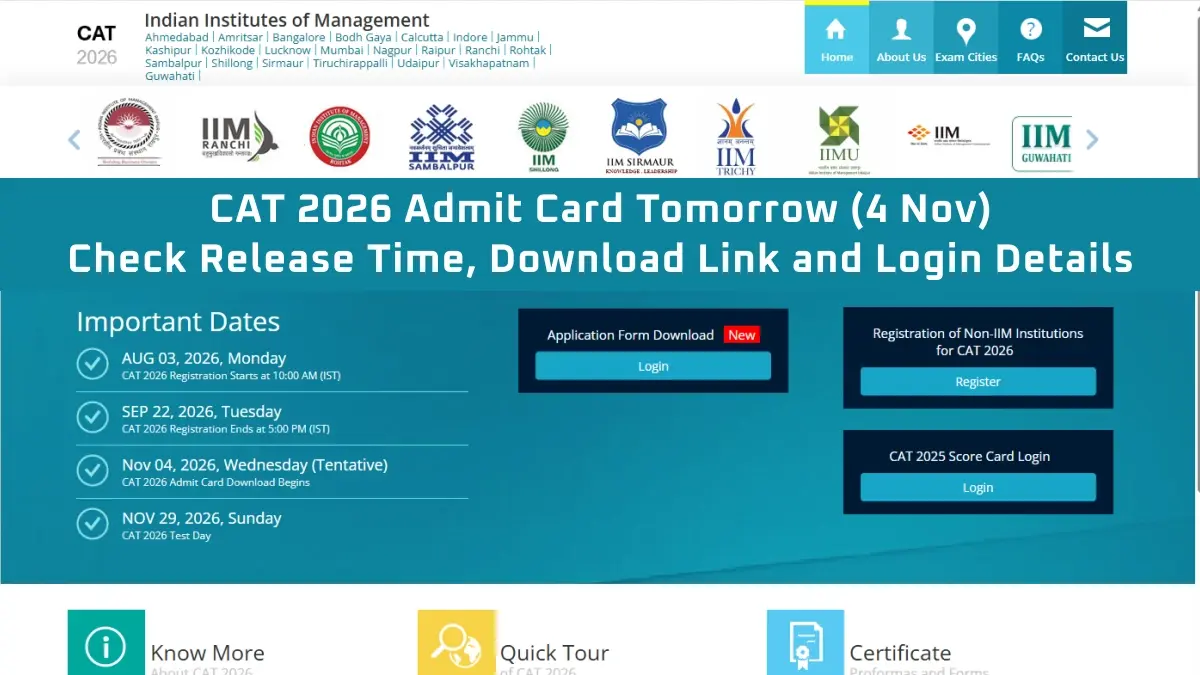

The CAT 2026 admit card is scheduled to be released tomorrow, November 4, 2026. Candidates who have successfully registered for the Common Admission Test will be able to download their hall ticket through the official website, iimcat.ac.in.
For downloading the admit card of CAT 2026, applicants would require their user ID and password. After activation of the download link, applicants can get access to their hall ticket through the online portal of the candidate login.
CAT 2026 will be conducted by IIM Indore on 29th November 2026 in three sessions. The examination will take place in the test centers all across India for the admission into postgraduate management courses at IIMs and other participating institutes.
CAT 2026 Admit Card: Important Details
| Particulars | Details |
| Admit Card Release Date | November 4, 2026 |
| CAT 2026 Exam Date | November 29, 2026 |
| Exam Mode | Computer-Based Test |
| Exam Sessions | Three |
| Official Website | iimcat.ac.in |
| Login Details | User ID and Password |
How to Download CAT 2026 Admit Card?
After the activation of the link, the candidates will be able to download their CAT 2026 hall ticket through the following process:
- Go to the official site, iimcat.ac.in.
- Navigate to the login page for registered candidates.
- Enter the user ID and password that were registered by the candidates.
- Click on the submit button.
- Click on the link to download the CAT 2026 Admit Card.
- The hall ticket will be displayed on the screen.
- Download the file and store it for future purposes.
- Print out a copy of the hall ticket.
The candidates must have their login credentials handy so that they can download their hall ticket when the time comes.
CAT 2026 Exam Timings
CAT 2026 will be conducted in three sessions on November 29. The scheduled timings are:
| Session | Exam Timing |
| Slot 1 | 8:30 AM to 10:30 AM |
| Slot 2 | 12:30 PM to 2:30 PM |
| Slot 3 | 4:30 PM to 6:30 PM |
The exact slot allotted to each candidate, along with the reporting time, will be mentioned on the admit card.
Details to Check on CAT 2026 Admit Card
Once the hall ticket has been downloaded, one must verify all the information listed on the same. The list includes:
- Name of the candidate
- CAT Registration Number
- Photo
- Signature
- Address of the examination center
- Date and timing of the examination
- Time of reporting to the examination center
Instructions to be followed on the day of the examination.
What to Carry to the CAT 2026 Exam Centre?
Candidates should bring the printed admit card of CAT 2026 along with the required identity proof to the exam center.
The admit card carries vital details regarding the test center allotted and reporting time. Hence, it is advised that candidates read all instructions thoroughly and visit the center at the reporting time as stated on their hall ticket.
CAT 2026 Admit Card: Important Note
The link for downloading the CAT 2026 admit card will be provided at the official CAT website once the link becomes live. Candidates should avoid using any other link apart from the official website to download their admit cards.
CAT 2026 exam is tentatively scheduled to take place on November 29, 2026, and candidates can make use of the remaining time to revise and prepare themselves for the exam.
----
👉 Also Check - CAT Free Study Material
CAT and OMETs study material 2026. Download sample papers, mock tests, previous year papers, chapter-wise PYQs and mind maps for complete exam preparation.
| CAT Study Material | |
| CAT Study Material 2026 | CAT Sample Paper |
| CAT Mock Test | CAT Previous Year Question Paper |
| CAT Chapterwise Previous Year Question | CAT Mind Map |
| CAT Study Planner | |



 Home
 Quiz
 Short News
 Web Story
 Get latest Exam Updates