




 Sign in


 Profile
 Signout
CAT Registration 2026 Ends Today at 5 PM: Check Application Status and Final Steps
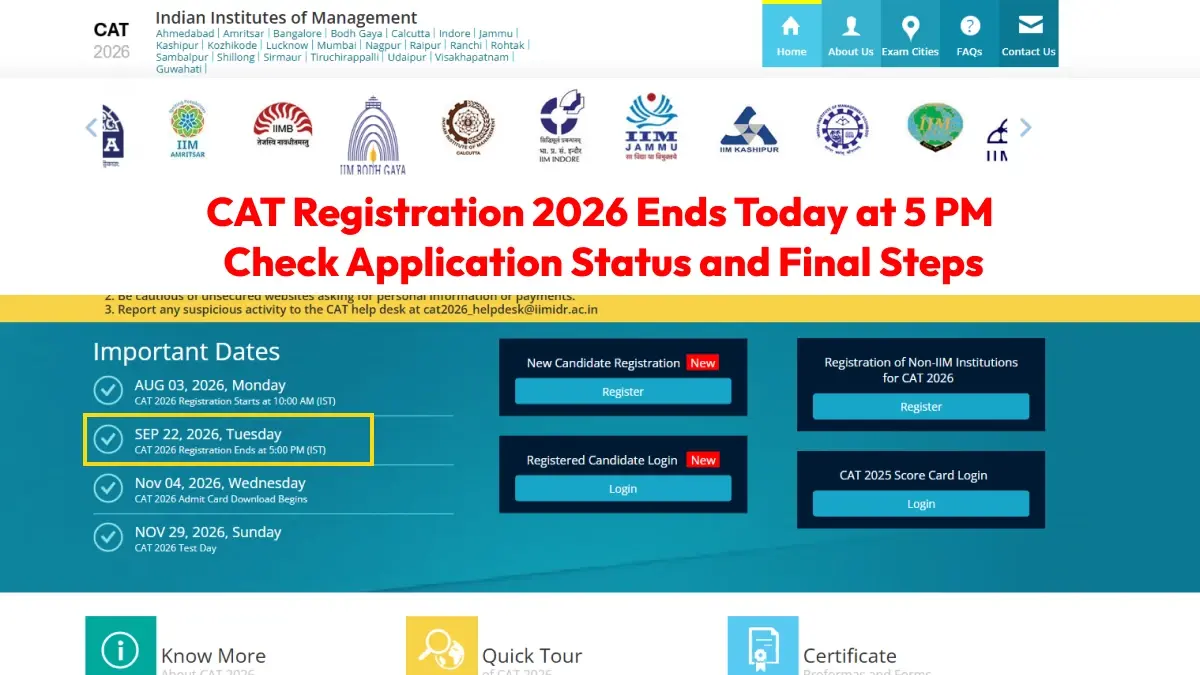

CAT 2026 registration process will conclude on September 22, 2026, by 5 PM. For those who have not completed filling out their application form yet, they have the choice to fill out their application form from the official website of CAT 2026, that is, iimcat.ac.in.
👉 Direct Link: CAT 2026 Registration
The Institute of Management Studies of IIM Indore, which will conduct CAT 2026, initially fixed the deadline of registration as September 15, 2026. But the deadline for registration has been postponed to September 22, 2026. And it has been informed that no more extensions will be given for the purpose.
Common Admission Test or CAT is a competitive examination held throughout the country for admission in MBA/PGDM program and others in various institutes like Indian Institutes of Management or IIMs.
Those candidates who complete the CAT 2026 registration process will have a chance to make alterations in some information after the closing of the registration process. This period is known as the correction period in which modifications can be made in photograph, signature, and test city preferences.
CAT 2026 Exam Date and Admit Card Details
According to the official schedule, CAT 2026 will be conducted on November 29, 2026.
The exam will be held in Computer-Based Test (CBT) mode across designated centres in 170 cities in India. The examination will be conducted in three sessions.
Candidates who complete the registration process will be able to download their CAT 2026 admit card from November 4, 2026.
How to Apply for CAT 2026
The candidates can go through the following steps to register for CAT 2026:
- Visit the official CAT website at iimcat.ac.in.
- Candidates need to click on the registration link of CAT 2026 present on the homepage.
- Complete the registration procedure and set up your login ID and password.
- Login and fill up the application form for CAT with all the necessary information.
- Upload all the necessary documents and provide all the academic as well as personal information.
- Pay the appropriate application fee for CAT.
- Submit the application form.
- Download the confirmation page and save it for future use.
- Print a copy of the submitted application form.

CAT 2026 Exam Pattern
The CAT 2026 question paper will have three sections. The total duration of the exam will be 120 minutes, with 40 minutes allotted to each section.
| Section | Questions |
|---|---|
| Verbal Ability and Reading Comprehension (VARC) | 24 |
| Data Interpretation and Logical Reasoning (DILR) | 22 |
| Quantitative Aptitude (QA) | 22 |
| Total | 68 |
The question paper will include both Multiple Choice Questions (MCQs) and Type In The Answer (TITA) questions.
CAT 2026 Marking Scheme
| Response Type | Marks |
|---|---|
| Correct Answer | +3 marks |
| Incorrect MCQ Answer | -1 mark |
| Incorrect TITA Answer | No negative marking |
| Unanswered Question | No marks |
Candidates should complete the registration process before the deadline and verify all entered details carefully before final submission.
-------
👉 Read Also - CAT 2026 Quant Section Analysis: Check Repeated Topics, Question Trends & Difficulty Level
👉 Read Also - CAT 2026 DILR Section Analysis: Check Repeated Topics, Question Trends & Difficulty Level
👉 Read Also - CAT 2026 VARC Section Analysis: Check Repeated Topics, Question Trends & Difficulty Level
👉 Read Also - How Should Your CAT 2026 Strategy Change Across Three Months?
👉 Read Also - CAT 2026 Strategy: Smart Attempt Planning to Improve Your Percentile
👉 Read Also - CAT 2026 90-Day Preparation Plan for Better Score and Percentile
CAT Study Material
| CAT Study Material | |
| CAT Study Material 2026 | CAT Sample Paper |
| CAT Mock Test | CAT Previous Year Question Paper |
| CAT Chapterwise Previous Year Question | CAT Mind Map |
| CAT Study Planner | |




 Home
Home
 Quiz
Quiz
 Short News
 Web Story
 Get latest Exam Updates







