


 Sign in


 Profile
 Signout

CAT 2026 Admit Card Released at iimcat.ac.in, Download Hall Ticket for November 29 Exam
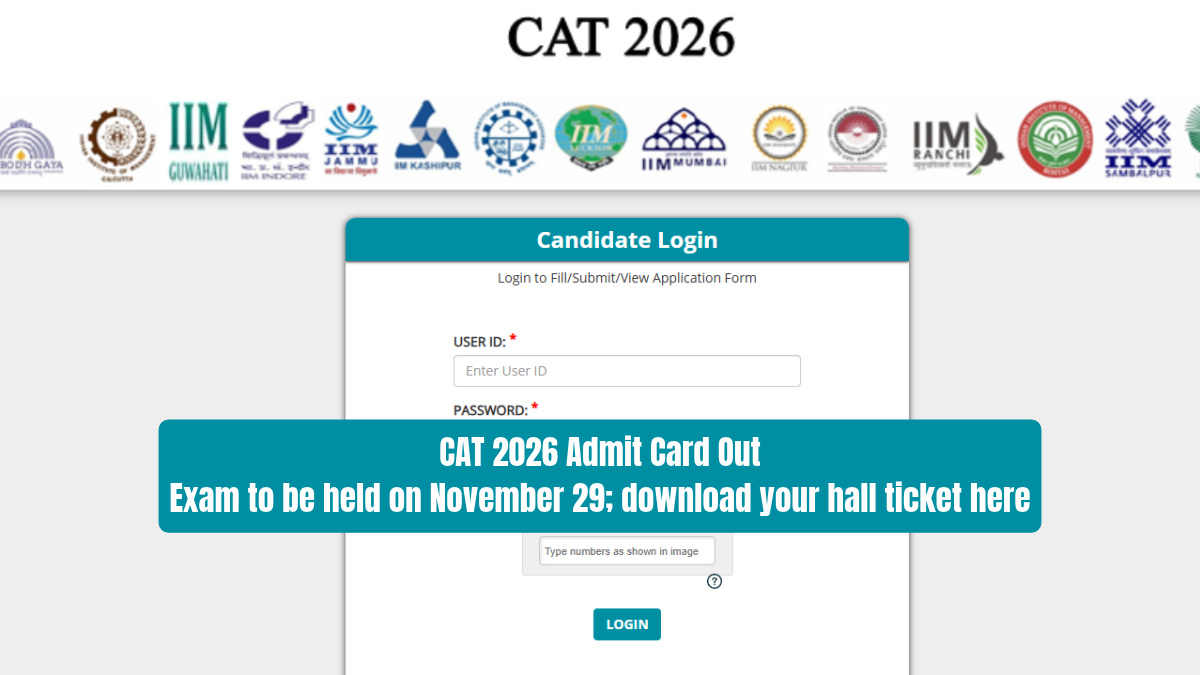

The Indian Institute of Management (IIM) Indore has released the CAT 2026 Admit Card for registered candidates. If you've applied for the Common Admission Test (CAT) 2026, you can download your hall ticket from iimcat.ac.in. You'll need your registered user ID and password to access the candidate login portal. The examination is scheduled for November 29, 2026, across approximately 170 cities in India.
👉 CAT Admit Card 2026 Out : Direct Link
The CAT 2026 will be held in three different sessions at IIM Indore by means of computer-based examination process. You have been provided your exam center, session, time of reporting along with other details on your admit card. It is required for you to bring a printout of the hall ticket along with a photo ID issued by the government authority.
CAT 2026 Admit Card: Important Dates and Details
CAT 2026 admit cards can be accessed via the website of the exam. Candidates need to download their hall tickets and go through the examination guidelines before the day of the examination. The information provided below will give you an idea about the examination timings and entry documents.
-
Examination Name: Common Admission Test (CAT) 2026
-
Conducting Institute: Indian Institute of Management (IIM) Indore
-
Admit Card Release Date: November 6, 2026
-
CAT 2026 Exam Date: November 29, 2026
-
Examination Mode: Computer-Based Test (CBT)
-
Number of Examination Cities: Approximately 170
-
Number of Sessions: Three
-
Login Credentials: Registered User ID and Password
-
Official Website: iimcat.ac.in
CAT 2026 Mock Test Available From November 6
CAT 2026 mock test is also available at IIM Indore from November 6. The CAT 2026 mock test will assist you in getting acquainted with the computer-based test pattern prior to taking up the actual CAT exam. It enables you to get familiar with the process of choosing the right answer, navigating through the questions and operating the test controls.
According to the previous year's examination pattern, the mock test for non-PwBD candidates lasts 120 minutes. PwBD refers to persons with benchmark disabilities, who may receive examination accommodations under applicable rules. The practice test contains three sections, with 40 minutes assigned to each section. This structure allows you to practise answering questions within the specified sectional time limits.
Nonetheless, you should not regard this mock test as the real deal for the CAT 2026 exam. The examination authority might decide to change some elements related to the questions and/or the examination itself. You can use this mock test mainly to get familiar with the online testing interface and to learn time management skills.
Details Mentioned on CAT 2026 Admit Card
The hall ticket for CAT 2026 has some vital information about you and your exam. Once you have downloaded it, make sure that all the details match those entered while filling up the registration form. A simple mistake in any of your details can cause problems while verifying documents.
-
Candidate's Name: As provided during registration
-
Registration Number: Your CAT 2026 registration ID
-
Photograph: Candidate's registered photograph
-
Signature: Candidate's registered signature
-
Examination Date: November 29, 2026
-
Examination Session: Allotted examination slot
-
Examination Centre: Complete test centre address
-
Reporting Time: As mentioned on the admit card
Ensure that the details of your name and registration are identical to those provided while applying for the exam. Verify that the photograph and signature of yours can be seen properly in the hall ticket that you have downloaded. It would also be advisable to verify the dates of the exam, session, and center address.
How to Download CAT 2026 Admit Card Online
Download your CAT 2026 hall ticket online from the official website with the help of your login credentials. Keep your user ID and password handy before you log into the candidate portal. Here are six steps that will help you download your hall ticket and store it for the day of the exam.
Step 1: Go to the official CAT 2026 website by entering the web address www.iimcat.ac.in through your web browser.
Step 2: Click on the download link for CAT 2026 hall ticket found on the homepage of the website.
Step 3: Login to the candidate login box by entering your user ID and password of CAT.
Step 4: Press the submit or login button in order to open your examination dashboard.
Step 5: Click and view the CAT 2026 admit card appearing on your screen.
Step 6: Download the PDF file of your hall ticket and take a print out of the same.
You are required to keep your admit card safely after downloading and printing it. Make sure that the details and instructions regarding your examination are clearly visible on your print-out. Keep a soft copy of the hall ticket also for your future reference.
CAT 2026 Exam Date, Sessions and Test Centres
CAT 2026 exam would be conducted on November 29, 2026, in approximately 170 cities throughout India. The online CAT entrance exam would be conducted by IIM Indore in three separate slots. Your respective slot and exam center will be indicated in the admit card issued to you individually. You need to follow the reporting details as suggested in the admit card.
Since the exam is being conducted in three slots, students are advised to check the time allotted for reporting very carefully. Do not make the mistake of assuming that your reporting time for the exam is same as some other student. Check the entire address of the exam center and work out how you are going to reach there.
Documents Required at CAT 2026 Examination Centre
It is essential that the candidate carry his/her printed CAT 2026 admission ticket when going to the allotted examination centre. In addition to this, a valid photo ID card issued by the government is needed for purposes of verification. Please ensure that you have both the above-mentioned documents before proceeding to attend the examination.
The details regarding your identity must match those mentioned on your admission ticket for the examination. Ensure that the relevant documents are within easy reach to produce them when requested by the examination authorities. Also adhere to the reporting time as well as other directions given by the examination authorities.
Important Instructions for CAT 2026 Candidates
It is advised to check the instructions issued on your CAT 2026 admit card prior to the exam day. It is essential to make sure of your examination center, reporting time, and test session way ahead of time. Along with your printout of the hall ticket, you need to carry an ID proof issued by the government.
Taking up CAT 2026 mock test would help you to get acquainted with the examination interface. But keep in mind that the question paper pattern in the mock test may not be the same as that of the real examination. Stay focused on the system of taking up the examination while preparing for the examination.
----
👉 Read Also: CAT 2026 Attempt Strategy: When to Skip a Question - Check Now
👉 Read Also: CAT 2026 Exam Anxiety: How to Stay Focused on Test Day
👉 Read Also: CAT 2026 Last Minute Preparation Tips: 25-Day Revision Plan
👉 Also Check - CAT Free Study Material
CAT and OMETs study material 2026. Download sample papers, mock tests, previous year papers, chapter-wise PYQs and mind maps for complete exam preparation.
| CAT Study Material | |
| CAT Study Material 2026 | CAT Sample Paper |
| CAT Mock Test | CAT Previous Year Question Paper |
| CAT Chapterwise Previous Year Question | CAT Mind Map |
| CAT Study Planner | |



 Home
 Quiz
 Short News
 Web Story
 Get latest Exam Updates