




 Sign in


 Profile
 Signout
IISER IAT 2026 Admit Cards (Out): Direct Link & Steps to Download Hall Ticket
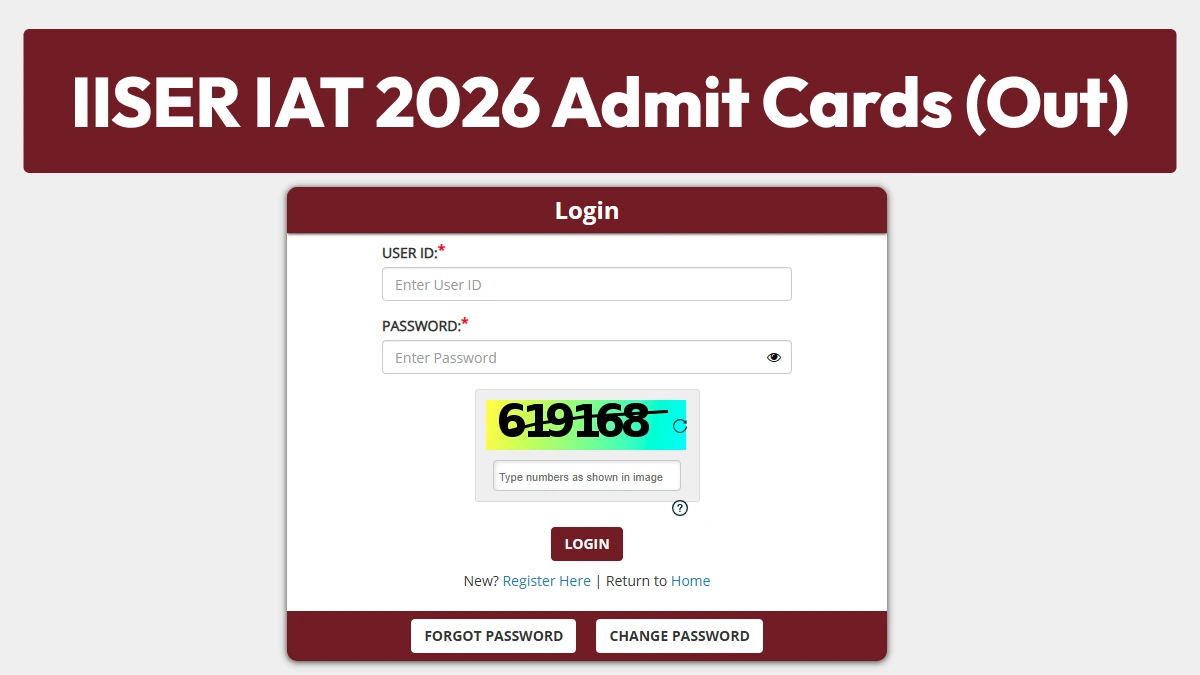


The Indian Institute of Science Education and Research (IISER) released the IISER 2026 admit card on May 26, 2026. The link to download the IISER IAT 2026 admit card is available on the official website.
👉 Direct Link - IISER IAT 2026 Admit Cards
To download the admit card, candidates are required to have their application number and password. The IISER IAT examination will be conducted on June 7, 2026.
This examination will be held in Computer-Based Test (CBT) mode at designated centers across the country. It is a three-hour examination comprising 60 Multiple Choice Questions (MCQs), designed to assess the candidate's knowledge in core science subjects.
How to Download the IISER IAT Admit Card 2026?
Candidates can follow the given steps to download their IISER 2026 hall ticket via the website.
Step 1: Visit the official website at iiseradmission.in
Step 2: Navigate to the “Download admit card” or “hall ticket” link available on the homepage
Step 3: Enter your registered user ID and password in the login window
Step 4: A new window will open displaying the admit card
Step 5: Download the admit card and print it out for future use

Details Mentioned on the IISER IAT 2026 Admit Card
- Candidate's Full Name
- Application Number / Enrollment Number
- Date of Birth
- Exam Date and Time
- Reporting Time
- Name and Full Address of the Exam Center
- Exam Day Instructions
---




 Home
Home
 Quiz
Quiz
 Short News
 Web Story
 Get latest Exam Updates







