




 Sign in


 Profile
 Signout
JEE Main 2027 DigiLocker Login: How to Create Account and Complete Verification

JEE Main 2027 DigiLocker Login: The National Testing Agency (NTA) has introduced a registration facility via the government’s 'MeriPehchaan' single sign-on platform. Students can use DigiLocker to verify their identity once this option becomes available on the official application portal.
Candidates who do not have a DigiLocker account can create one using their mobile number and follow the provided verification instructions.
Registration for JEE Main 2027 Session 1 commenced on October 24, 2026. The last date to submit an application without a late fee is November 22, 2026.
JEE Main 2027 DigiLocker Login: Key Details
| Particulars | Details |
| Examination | JEE Main 2027 |
| Conducting Authority | National Testing Agency |
| Registration Platform | MeriPehchaan |
| Identity Service | DigiLocker |
| Registration Last Date | November 22, 2026 |
| Official JEE Website | jeemain.nta.nic.in |
| DigiLocker Website | digilocker.gov.in |
Is DigiLocker Mandatory for JEE Main 2027?
NTA has introduced registration through the MeriPehchaan platform for JEE Main 2027.
MeriPehchaan integrates three government identity services:
-
DigiLocker
-
JanParichay
-
e-Pramaan
Students should select an authentication method permitted by the live NTA registration portal. DigiLocker is part of this system, but the availability of other methods depends on the options provided during registration.
How to Create a DigiLocker Account for JEE Main 2027
For students that do not already have a DigiLocker account, here are the procedures that should be followed.
- Navigate to the official website digilocker.gov.in.
- Choose between Login/Create Account options.
- Enter the mobile number and proceed.
- Verify the OTP process.
- Supply the details as required for registration purposes.
- Establish account login credentials as directed.
- Proceed with any necessary ID verification from DigiLocker.
After successfully creating the account, students will be able to sign into DigiLocker through the provided sign-in methods.
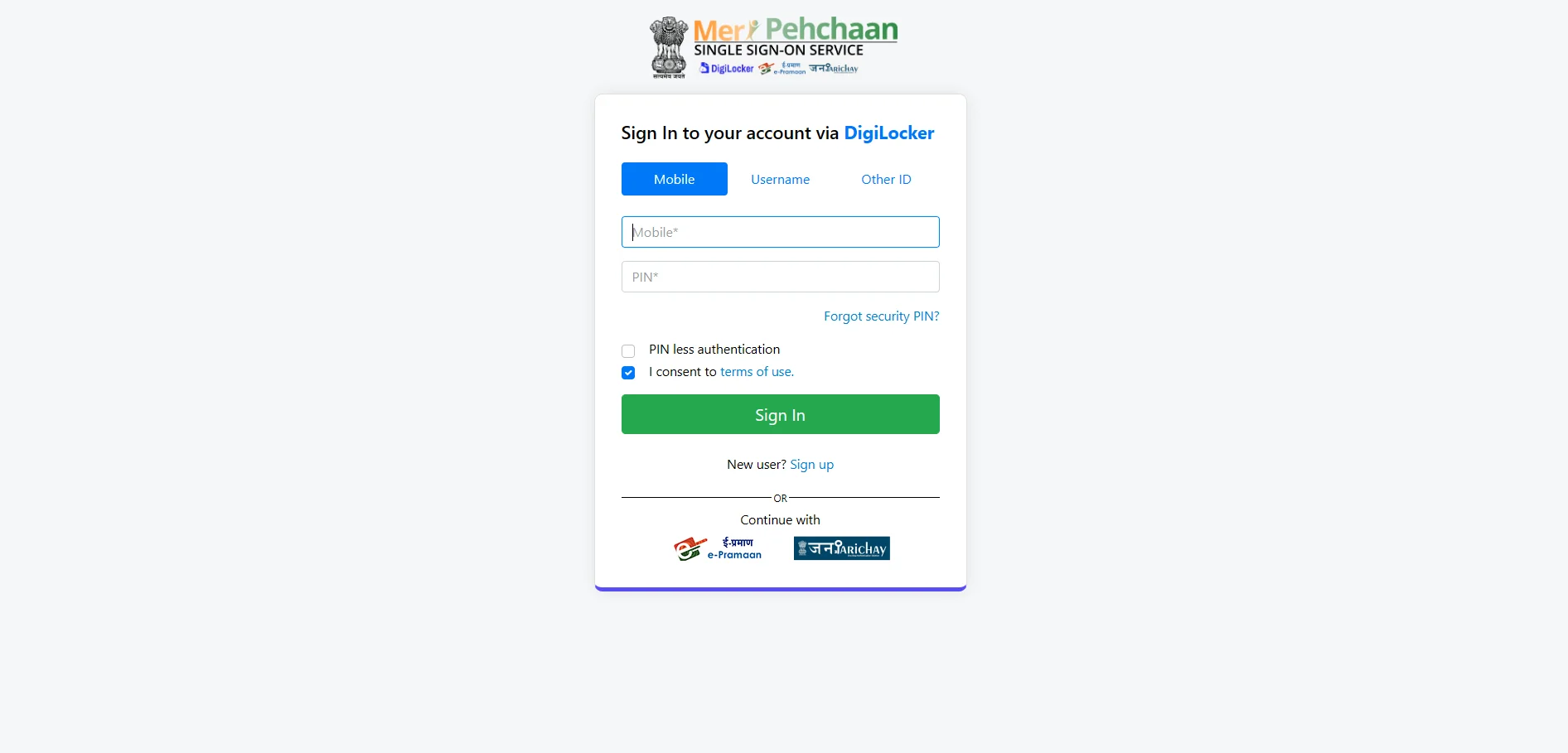
How to Complete JEE Main 2027 DigiLocker Verification
After creating a DigiLocker account, students can proceed with identity verification through the JEE Main application portal.
Step 1: Open the Official JEE Main Website
Visit jeemain.nta.nic.in and select the JEE Main 2027 Session 1 application link.
Step 2: Choose the Authentication Method
Follow the MeriPehchaan login instructions and select DigiLocker if the option is available.
Step 3: Sign In to DigiLocker
Enter the requested login details and complete the authentication process using the method displayed on the screen.
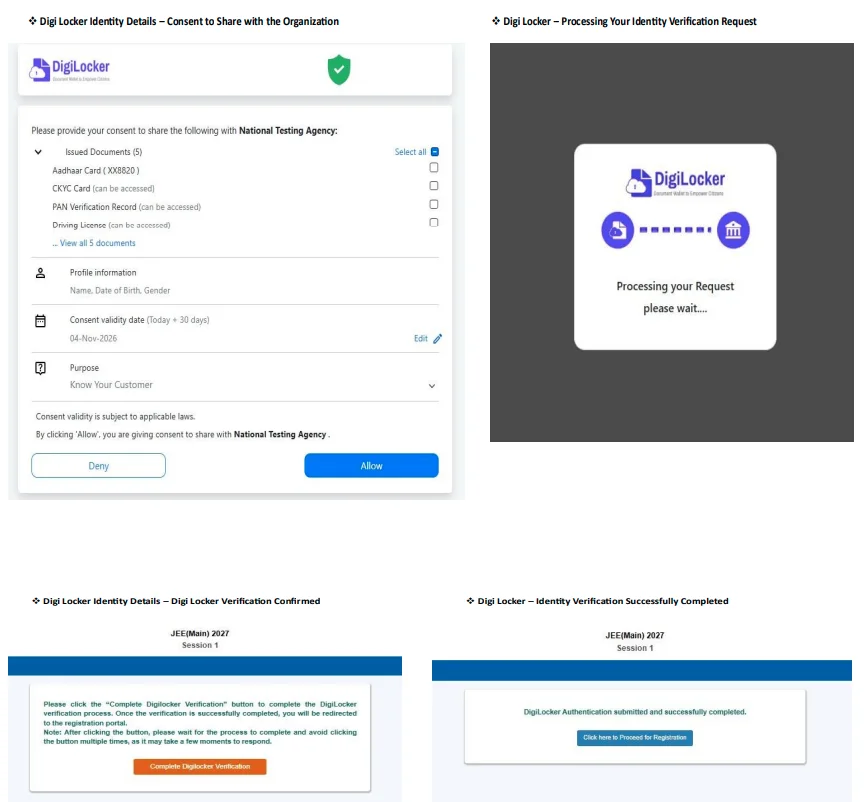
Step 4: Complete Identity Verification
Review the information requested by the authentication service. Provide any necessary consent after checking the details.
Step 5: Continue the JEE Main Application
After successful authentication, return to the JEE Main application portal and complete the remaining registration steps.
Fill in the required personal and academic details, upload documents and pay the examination fee.
Documents and Details Required
Before filling out the registration form, the student must have the following documents available:
- Mobile no. and Email ID
- Identity Proof like Aadhar card that is accepted by the portal
- Marksheet of Class 10
- Educational information about class 12
- Passport size photograph
- Signature scan
- If the candidate comes under any category/disability certificate
As per JEE Main 2027 Information Bulletin.
What If JEE Main 2027 DigiLocker Verification Fails?
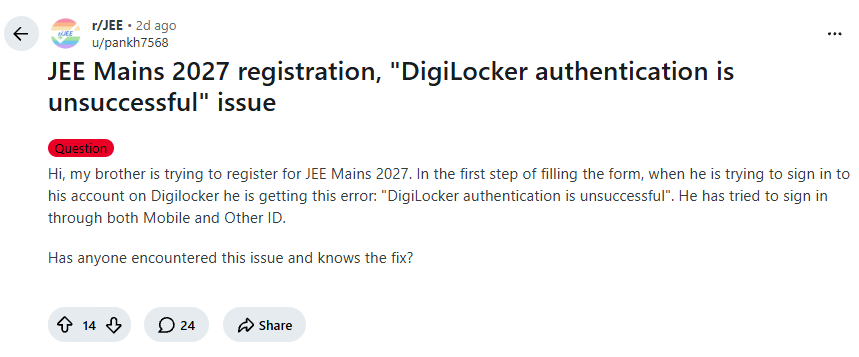
Some aspirants have faced problems in authenticating DigiLocker while registering. In case the verification fails, students should:
- See if their DigiLocker is accessible via the official website.
- Verify their name, date of birth, and other identification details.
- See if the mobile number which is registered by them is valid.
- Re-login into their DigiLocker via the official JEE Main website.
If there is still a problem, they should contact the support desk of DigiLocker or NTA.
JEE Main 2027 DigiLocker Login: Important Points
- Only official sites of DigiLocker and JEE Main should be used for registration.
- Never share your OTP, password or login id.
- Verify your personal information against those in the government-issued documents.
- Avoid making multiple applications for JEE Main due to verification errors.
- Identity verification does not mean that your application is complete.
The application form for JEE Main 2027 will be regarded as completed if the prescribed fees are paid. The confirmation page should be downloaded and kept for future reference by students.
Official information can be accessed through jeemain.nta.nic.in. Students encountering issues with their DigiLocker account can approach the support portal at support.digilocker.gov.in.
--------
👉 Also Read - JEE Main 2027 Registration Begins: How to Apply, Eligibility, Fee and Exam Dates
👉 Also Read - JEE Main 2027 Photo and Signature Guidelines: Check Size, Format, Pixels and Upload Steps
👉 Also Read - JEE Main 2027 Aadhaar Update: How to Fix Name Mismatch Online, Check Steps
👉 Also Read - JEE Main 2027: How to Solve Difficult Questions Without Losing Time
👉 Also Read - JEE Main 2027 Attempt Limit: Check Eligibility, Age and Rules
👉 Also Read - JEE Main 2027 Registration: Check Application Dates, Documents and Eligibility
👉 Also Read - JEE Main Application Form 2027: Common Mistakes to Avoid While Filling the Form
👉 Also Read - JEE Main 2027 Session 1 Exam Dates Announced by NTA: Check Complete Schedule




 Home
Home
 Quiz
Quiz
 Short News
 Web Story
 Get latest Exam Updates







